
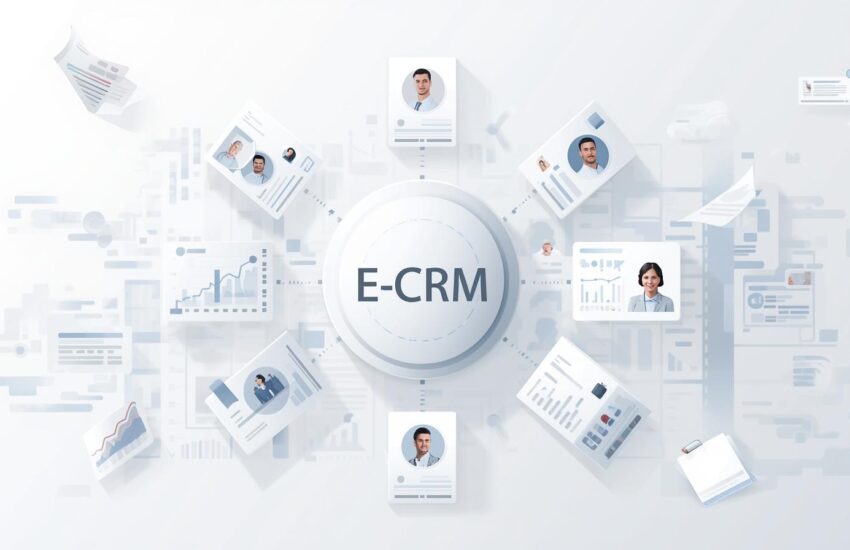
Moving from spreadsheets to E-CRM is a key step in modernizing how businesses manage their customers. Many companies start with simple tools to track client information, but as they grow, these tools often become insufficient. That’s when thinking about a more complete solution like E-CRM becomes important, especially when businesses begin evaluating CRM management software as a more structured way to handle customer interactions. It’s about more than just storing data; it’s about improving how you interact with every customer. This shift can truly change how you operate and help you build stronger customer relationships.
Hello and welcome! Today, we’re going to discuss some things that are quite relevant to anyone looking to make careful decisions. We focus on getting things right, and this begins with understanding the basics. Whether you are new to this or have some experience, there’s always something new to learn. We aim to provide clarity and offer solutions that can truly make a difference. We are committed to careful execution, and we believe that clear communication is key to achieving our objectives. So, let’s dig in and explore how we can all work together more productively and achieve better outcomes.
Spreadsheets have long been the default choice for storing customer information. Now, many businesses are evaluating new ways to manage this data. There are several considerations to keep in mind when making a change. Deciding which approach fits your needs means looking at security, accessibility, and scalability. It’s important to choose a system that can grow with your business and keep your customer information safe.
These methods are familiar, flexible, and quite easy to start with, especially for small teams. As customer interactions increase and operations become more complex, spreadsheets struggle to keep pace with growth. Important details often get lost when they’re spread across many files, leading to missed updates and making teamwork a real challenge.
This is where CRM software enters the picture. Businesses can move away from scattered documents and towards a system created specifically for managing customer relationships. This change moves us from looking at things bit by bit to managing our customer relationships in a more structured way. This approach helps us be consistent and supports our growth over time.
The Reality of Spreadsheet-Based Customer Management
The Reality of Spreadsheet-Based Customer Management can be a real challenge for businesses. While these tools are frequently used for organizing customer information, they often fall short when it comes to true customer relationship management. We often see that even with advanced formulas, spreadsheets lack the dynamic capabilities needed to manage customer interactions and sales processes efficiently.
It’s not just about listing names and numbers; businesses need a way to track engagement, understand customer needs, and forecast future interactions. Trying to handle all of this through a spreadsheet can lead to errors and missed opportunities.
Spreadsheets were never meant to manage ongoing customer relationships. Databases can certainly hold lots of data, but they often fall short when it comes to organizing things like customer conversations, follow-up actions, and a customer’s history. These systems present a challenge because they don’t inherently track these crucial back-and-forths.
One of the biggest challenges businesses face today is fragmentation. Different teams often keep their own versions of customer lists, which can cause inconsistencies. This often means duplicate entries across systems. When one person makes an update, others might not see it, leading to outdated or incorrect data being used when talking with customers.
Sometimes, the amount of manual effort involved can be a real issue. Every update requires manual input, and this raises the chance of mistakes. As more customers come in, spreadsheets often become too slow to handle. They get hard to keep updated, making them a problem for operations instead of being a useful tool.
Structuring Customer Operations for Better Outcomes
Operations leaders often face the task of structuring their customer operations. It’s a common challenge to bring order to existing processes, especially when starting from a blank page. The key is to start with a clear, simple approach.
You want to align systems and teams to create a better experience for your customers. This helps everyone, both inside and outside the company. Building a strong foundation often involves looking at what’s already there and figuring out how to make it more efficient. Consider how each piece fits together to support the overall goal of serving your customers well.
Modern customer management means more than just keeping contact details. Businesses need systems that can organize interactions, support internal coordination, and provide visibility across teams, and we are working to create such platforms.
We aim to foster collaboration, ensuring everyone is on the same page. When departments work together, there’s a strong connection that drives progress. This helps create environments where everyone feels more supported. Strong internal support allows for efficiency across all our functions. We want to be clear about this goal.
A structured customer platform helps by moving away from scattered files. It creates a central place where everyone can access the same information, making sure it is consistent.
Sales teams will be able to track progress without relying on memory.
Support teams can see prior interactions before responding.
Managers get clearer insights without needing to ask for reports.
This shift creates organized customer operations and lowers how much we rely on individual people having all the information.
Improving Daily Workflows With CRM Management Software
Many organizations can improve how they handle daily tasks by using customer relationship management software. This software helps manage customer interactions and data, which can lead to better service and more sales.
Choosing the right CRM software involves looking at your company’s specific needs. Consider features such as contact management, lead tracking, and analytics. Integrating the software with current systems is also a key step for a smooth transition.
Training employees on how to use the new system is important to maximize its benefits. Regularly reviewing and updating your CRM strategy ensures it continues to meet your business goals.
When teams get bigger, making sure everyone is on the same page is really important. CRM software is really about helping your different teams, sales, marketing, and customer support work together better.
Sales teams can track leads and opportunities without needing to juggle spreadsheets.
Marketing staff can see customer engagement history.
Reviewing past interactions helps support teams resolve issues more quickly.
Shared access helps reduce internal friction and means that customer communication stays consistent, no matter which team is involved.
Transitioning to Enterprise CRM
As businesses expand, they often find that simple tools just don’t cut it anymore for their more complex operations. Often, these situations occur when there’s a rise in customer volumes, longer sales cycles, or when various departments need to share information.
Enterprise CRM is adopted at this stage to support cross-functional coordination and structured processes. Customer management is changing from just one task to a key part of how companies work, influencing many teams and those who make decisions.
This change shows we’re moving towards having things standardized and ready for future growth as an organization.
Core Capabilities of Enterprise CRM Software
When you’re looking at enterprise CRM software, understanding its core capabilities is key. One of the central functions is contact management. This isn’t just about storing names; it’s about detailed customer profiles, interaction histories, and all the information you need to build strong relationships.
Another important aspect is sales automation. This focuses on streamlining your sales processes. From lead qualification to closing deals, sales automation helps teams manage their pipeline and track progress.
Customer service and support are also vital pillars. Good software provides tools for managing inquiries, tracking service requests, and offering self-service options.
Marketing automation allows businesses to reach their audience more effectively by automating campaigns and tracking performance.
Finally, reporting and analytics provide insights into customer data, sales trends, and service performance, helping businesses identify areas for improvement.
These platforms are built for large teams and complex workflows, supporting many users and large databases while maintaining reliability.
Choosing the Right Enterprise CRM Solutions
Deciding on the correct enterprise CRM solutions calls for careful thought. Businesses need to look at what’s tough right now, how things get done, and where they want to go later.
Customization options are important, as standard systems may not fit existing workflows. Scalability ensures the platform can grow without frequent replacements. Vendor reliability, ongoing support, and future product direction also matter.
A thoughtful evaluation process ensures the system supports business operations rather than disrupting them.
Preparing for CRM Migration
Switching from older tools or spreadsheets is a big shift in how a business operates. CRM migration involves bringing over customer data, setting up new processes, and preparing teams for change.
Reviewing existing data, addressing duplicates, and fixing inconsistencies early helps avoid problems later. Clear goals define what success looks like.
Open communication reduces resistance and helps create a smoother transition.
Developing a Practical CRM Migration Strategy
Developing a Practical CRM migration strategy begins with assessing current systems and defining objectives. Cleaning data, testing with pilot migrations, and validating transferred information are critical steps.
User training and ongoing support ensure teams feel confident using the new system. Continuous monitoring allows organizations to refine workflows as needs evolve.
A structured approach helps the system become a natural part of daily operations.
Long-Term Impact of Moving Beyond Spreadsheets
Moving past spreadsheets makes customer information more reliable and accessible. Teams spend less time searching for details and more time focusing on meaningful interactions.
Structured systems support consistency across departments and reduce dependency on manual processes. Clear procedures help minimize errors and improve efficiency.
As organizations expand, consistent customer management prevents operations from becoming chaotic and supports future growth.
Conclusion
Spreadsheets may still work for simple tasks, but they are no longer sufficient for managing modern customer relationships. As businesses grow, they need systems that provide structure, visibility, and coordination. Moving to a dedicated customer management solution is a strategic decision that supports long-term stability and consistency. With thoughtful planning and a clear understanding of business needs, companies like ERP Ocean can move smoothly from manual tracking to structured, scalable customer management systems.
Still managing customer data in spreadsheets?
Move Beyond SpreadsheetsFrequently Asked Questions
1. Why are spreadsheets no longer effective for customer management?
Spreadsheets work for basic data storage, but they lack real-time updates, collaboration, and tracking of customer interactions. As businesses grow, managing leads, follow-ups, and customer history becomes error-prone and time-consuming without a dedicated CRM system.
2. What is E-CRM, and how does it improve customer relationships?
E-CRM (Electronic Customer Relationship Management) centralizes customer data, interactions, and workflows in one platform. It helps businesses track engagement, improve communication, and build long-term relationships through structured and automated processes.
3. How does CRM management software improve daily business workflows?
CRM management software streamlines tasks like lead tracking, sales follow-ups, customer support, and reporting. It enables teams to collaborate efficiently, reduces manual work, and ensures consistent communication across sales, marketing, and support teams.
4. When should a business consider moving to an enterprise CRM solution?
A business should consider enterprise CRM when customer volumes increase, multiple teams need shared access to data, or sales and service processes become complex. Enterprise CRM solutions support scalability, advanced reporting, automation, and cross-department coordination.
5. How can ERPOcean help with CRM migration from spreadsheets?
ERPOcean supports businesses through every stage of CRM migration, from data cleanup and process alignment to system setup and user training. By focusing on scalability and structured customer management, ERPOcean helps organizations transition smoothly from spreadsheets to enterprise-ready CRM systems.