
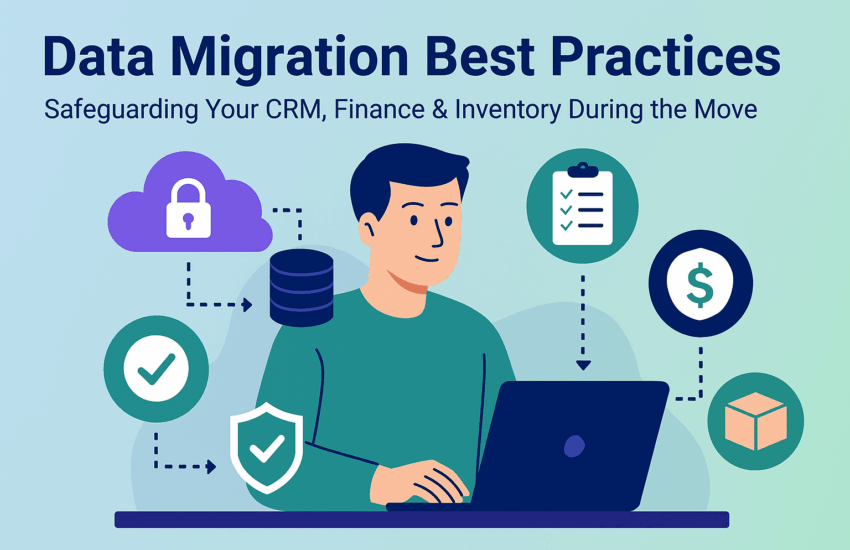
In today’s digital ecosystem, businesses rely heavily on integrated systems like ERP, CRM, and inventory management software to ensure seamless operations. When it comes time to upgrade or switch platforms, ERP data migration best practices become essential for maintaining business continuity, preventing data loss, and ensuring data integrity across your organisation. Following a strategic approach not only safeguards sensitive information but also supports smooth financial, CRM, and inventory workflows.
Importance of a Structured Data Migration Plan
A well-defined structured data migration plan ensures that business-critical data remains accurate, consistent, and usable throughout the migration process. It’s not just about moving data; it’s about preserving the relationships between financial records, customer details, and inventory data. By prioritizing a structured approach, companies can reduce risks, maintain compliance, and protect sensitive CRM and finance information.
Common Risks During CRM Data Migration
Data migration introduces several challenges if not handled carefully. CRM data migration can be particularly sensitive, as even small inconsistencies can affect customer records, sales tracking, and communications. Common risks include:
- Missing or duplicate records
- Version mismatches between systems
- Misaligned customer or transaction data
Understanding these risks early helps your team build safeguards to prevent disruptions and maintain operational continuity.
Pre-Migration Steps: Backup and Finance Data Migration Audit
Before starting any migration, it’s crucial to perform a full backup of your current system. This acts as a safety net in case of errors. Additionally, conducting a thorough finance data migration audit helps identify outdated or redundant records, ensuring only clean, accurate data moves forward. This step is critical for avoiding errors in financial reporting, inventory tracking, and CRM operations.
ETL Process for ERP: Extract, Transform, Load
The ETL process for ERP lies at the core of successful data migration. It consists of:
- Extract – Pulling data from your current system
- Transform – Converting data into the correct format for the new system
- Load – Importing data into the target ERP platform
Precision at each stage ensures that CRM, finance, and inventory data remain accurate, preventing issues during migration.
Automated ERP Migration Tools for Accuracy
Using automated ERP migration tools reduces human error and ensures consistent data transfer. Popular tools like Talend, Informatica, or Fivetran allow scheduling, validation, and real-time error reporting. Automation strengthens the overall migration process and complements inventory migration tips, such as duplicate prevention and real-time stock updates.
Special Considerations for CRM, Finance, and Inventory Data
Different data types require tailored handling:
- CRM systems: Store sensitive customer data, which must comply with privacy regulations.
- Finance systems: Require accurate transaction and audit trails.
- Inventory systems: Track real-time stock levels, supplier details, and transactions.
Applying domain-specific safeguards ensures end-to-end protection and operational continuity.
Data Validation Methods
Once migration is complete, data validation methods confirm accuracy and completeness. Comparing pre- and post-migration records ensures every transaction, customer entry, and stock count is correct. Automated reconciliation scripts can quickly flag discrepancies, allowing corrections before the system goes live.
Access Control During Migration
Controlled access is essential during migration. Implement access control during migration by setting role-based permissions. This prevents unauthorised changes, maintains data integrity, and ensures only qualified personnel handle sensitive CRM, finance, or inventory data during the transition.
Post-Migration Reports for Compliance
Generating post-migration reports provides transparency and accountability. Reports detail what data was migrated, highlight skipped or corrected records, and assess overall system performance. This documentation supports regulatory compliance and allows your team to track the success of the migration.
Building a Resilient ERP Migration Framework
A successful migration is not just technical, it’s strategic. An ERP migration framework ensures data consistency, minimises risk, and establishes long-term governance. Key practices include:
- Scheduled backups
- Change tracking
- Continuous monitoring of CRM, finance, and inventory data
By prioritizing data security and structured processes, businesses can confidently safeguard their critical operations and lay the foundation for scalable growth.
Frequently Asked Questions (FAQs)
1. What are the key steps to ensure data integrity during ERP migration?
Using a structured data migration plan and following ERP data migration best practices ensures integrity across CRM, finance, and inventory systems.
2. How can I safeguard finance and inventory data during migration?
Implement finance data migration safeguards, controlled access, and inventory migration tips to maintain accuracy and security.
3. Why is the ETL process important for ERP migration?
A proper ETL process for ERP guarantees clean, consistent, and correctly formatted data enters the new system, preventing errors.
4. What tools are recommended for automated ERP data migration?
Leverage automated ERP migration tools like Talend or Informatica to reduce manual work and ensure accuracy.
5. How can I validate data after migration?
Use data validation methods and generate post-migration reports to verify that CRM, finance, and inventory data are correct.
6. What long-term practices help maintain ERP data quality?
A continuous ERP migration framework, combined with regular backups and role-based access control during migration, ensures ongoing data reliability.